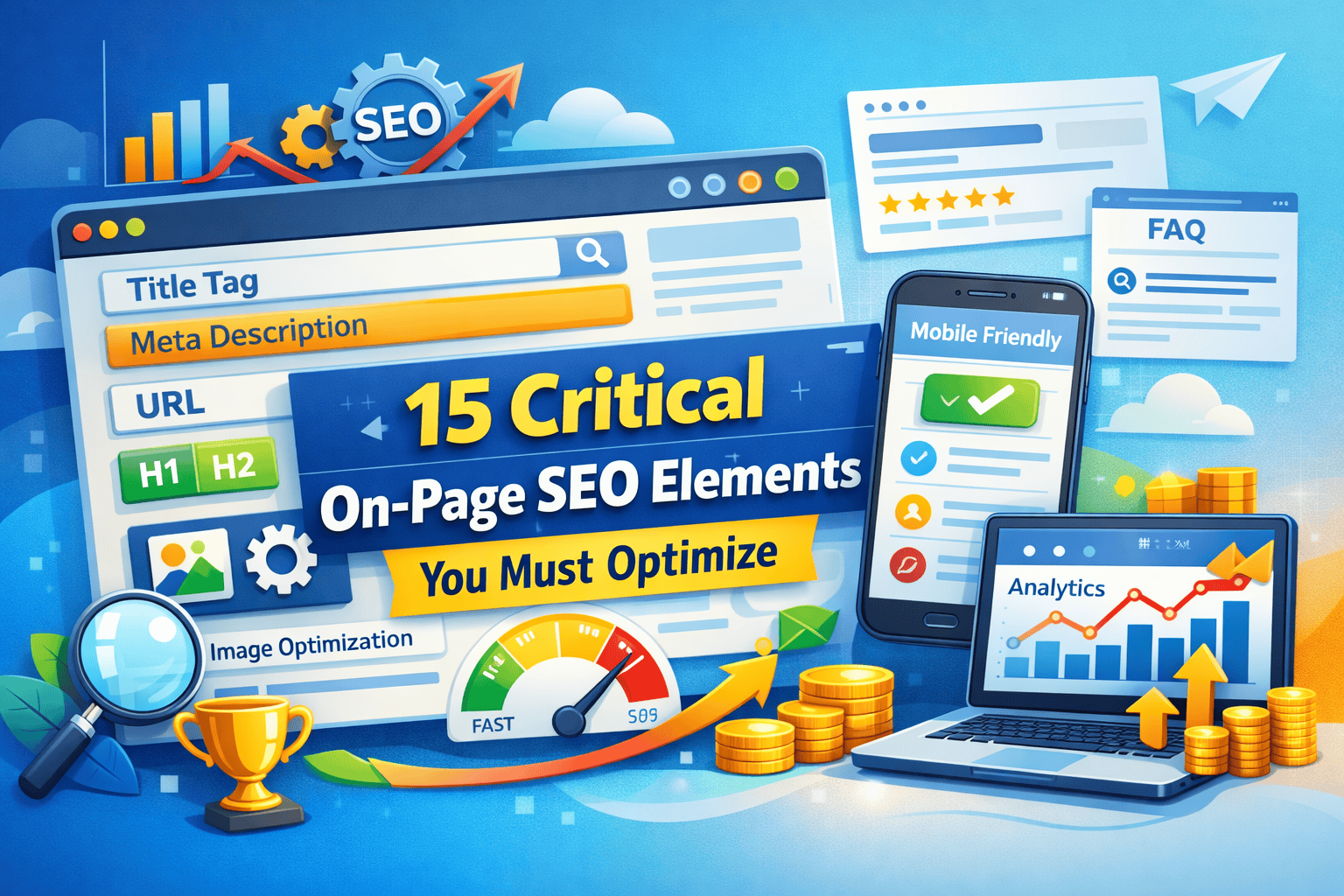
What is SEO and Why It Matters
SEO, or Search Engine Optimization, is the process of improving your website so it ranks higher on search engines like Google. Higher rankings mean more organic traffic. Every business, blogger, and website owner benefits from SEO because it brings relevant visitors without paying for ads.
Search engines use algorithms to evaluate your content. They check for quality, relevance, and authority. Proper SEO ensures your website is easy to crawl, your content is useful, and your pages appear in search results for the right keywords.
Key points:
- SEO drives organic traffic to your website.
- Search engines prioritize content that is relevant and well-structured.
- Both beginners and small businesses benefit from consistent SEO practices.
Examples:
- A small e-commerce site optimized for “buy eco-friendly notebooks” can appear in the first Google page, reaching more customers.
- A blog following basic SEO for “SEO guide for beginners” attracts readers looking to learn SEO step by step.
Types of SEO You Should Know
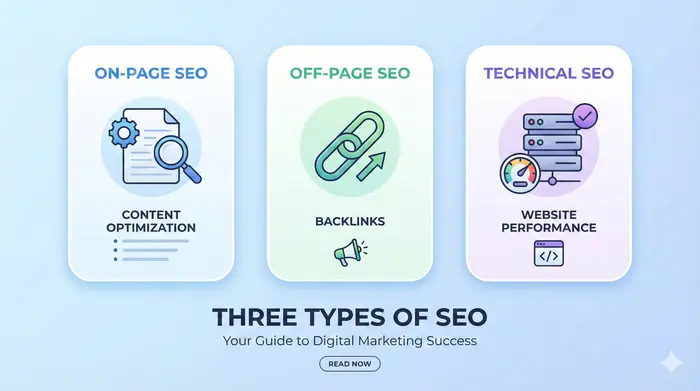
When you start learning SEO Basics for Beginners, understanding the types of SEO is crucial. SEO is not one single task. It has three main types: On-Page SEO, Off-Page SEO, and Technical SEO. Each plays a role in improving your website’s ranking on Google.
1. On-Page SEO
On-Page SEO focuses on elements you control on your website. These include:
- Optimizing your content with targeted keywords.
- Writing SEO-friendly titles and meta descriptions.
- Structuring headings (H1, H2, H3) for clarity.
- Creating clean, user-friendly URLs.
- Internal linking to other relevant pages on your website.
2. Off-Page SEO
Off-Page SEO is about actions outside your website that improve rankings. Key techniques include:
- Building high-quality backlinks from authoritative sites.
- Promoting your content on social media to increase engagement.
- Guest posting on relevant blogs to increase website authority.
- Encouraging mentions and shares online.
3. Technical SEO
Technical SEO ensures your website meets the requirements of search engines. This includes:
- Improving site speed and performance.
- Ensuring mobile-friendliness for all devices.
- Creating an XML sitemap for easy indexing.
- Securing your site with HTTPS.
- Fixing broken links and errors.
Why this matters for beginners
For anyone learning SEO Basics for Beginners, knowing the three types helps you focus on what improves rankings efficiently. You can prioritize tasks, from content optimization to backlink building, to technical improvements.
How Search Engines Work
To master SEO Basics for Beginners, you need to understand how search engines like Google work. Search engines use automated programs called crawlers to scan websites, index content, and rank pages based on relevance and quality.
1. Crawling
Crawling is the process where search engines scan your website pages. They follow links to discover new content. Without proper crawling, your content may never appear in search results.
2. Indexing
After crawling, search engines store your content in a database called the index. Indexed content can appear in search results. Proper on-page SEO ensures that crawlers understand your content and index it correctly.
3. Ranking
Ranking determines the order of search results. Google uses multiple factors like relevance, keyword usage, backlinks, page speed, and user experience. High-quality content optimized for the right keywords ranks better.
Why it matters
Understanding crawling, indexing, and ranking helps you apply SEO Basics for Beginners effectively. You can optimize content, structure your website, and improve user experience to increase your chances of ranking higher on Google.
Examples:
- A blog optimized for “SEO guide for beginners” with clear headings, internal links, and relevant keywords ranks on the first page.
- A website with fast loading speed and mobile-friendly design performs better in search results.
Keyword Research for Beginners
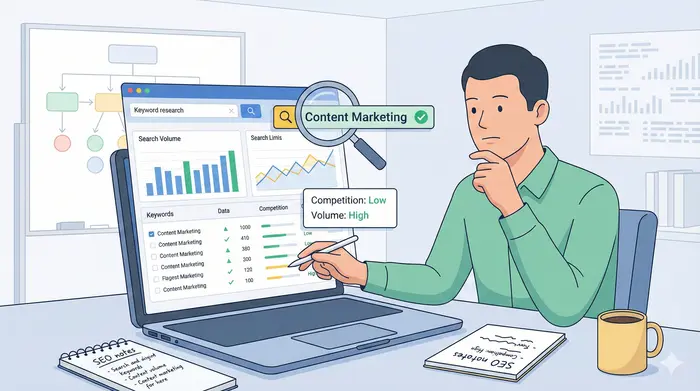
When learning SEO Basics for Beginners, keyword research is the foundation of your strategy. Keywords are the terms people type into search engines. Choosing the right keywords ensures your content reaches the right audience and ranks higher on Google.
1. What are Keywords and Why They Matter
Keywords tell search engines what your content is about. Using targeted keywords in titles, headings, and content helps Google match your pages with user searches. For beginners, focusing on long-tail keywords is effective because they have less competition and higher conversion potential.
2. Types of Keywords
- Short-Tail Keywords: One or two words, high search volume, high competition (e.g., “SEO”).
- Long-Tail Keywords: Three or more words, lower competition, more specific intent (e.g., “SEO guide for beginners 2025”).
- LSI Keywords: Related terms that give context to your content (e.g., “on-page SEO”, “organic traffic”, “backlinks”).
3. Tools for Keyword Research
- Google Keyword Planner: Free tool to find search volume and competition.
- Ahrefs & SEMrush: Paid tools with detailed keyword insights.
- Ubersuggest: Beginner-friendly tool for keyword ideas.
4. How to Choose the Right Keywords
- Look for search volume and difficulty balance.
- Understand search intent: informational, navigational, transactional.
- Include primary keyword naturally in title, headings, and first paragraph.
- Use secondary and LSI keywords throughout the content.
Practical Tip:
If your blog is about SEO Basics for Beginners, target long-tail keywords like “SEO tutorial for beginners” or “how to learn SEO step by step”. These help you rank faster and attract readers genuinely interested in your topic.
On-Page SEO Techniques
For anyone learning SEO Basics for Beginners, mastering on-page SEO is essential. On-page SEO refers to optimizations you make directly on your website to improve rankings. Proper on-page SEO helps Google understand your content and improves your chances of appearing in relevant searches.
1. Writing SEO-Friendly Content
- Use your primary keyword naturally in the first paragraph.
- Include secondary keywords and LSI keywords throughout the text.
- Focus on clarity and usefulness for readers.
2. Optimizing Headings and Subheadings
- Use H1 for the main title and H2/H3 for subtopics.
- Include keywords in headings where relevant.
- Proper heading structure improves readability and SEO.
3. Using Images and Alt Text
- Add relevant images to enhance understanding.
- Use alt text with keywords (e.g., “SEO guide for beginners infographic”).
- Optimized images improve SEO and accessibility.
4. Internal Linking
- Link to other relevant pages on your website.
- Helps users navigate and increases time on site, a positive SEO signal.
5. URL Optimization
- Keep URLs short, readable, and keyword-rich (e.g.,
/seo-basics-for-beginners). - Avoid long strings of numbers or unnecessary characters.
6. Meta Tags
- Write clear and compelling meta titles with the primary keyword.
- Include meta descriptions using secondary keywords and call-to-action.
Practical Example:
If your blog is about SEO Basics for Beginners, an on-page optimized article would:
- Use the phrase “SEO Basics for Beginners” in the title, first paragraph, and at least 2–3 times in the content.
- Include headings like “On-Page SEO Tips for Beginners” and “How to Use Keywords Effectively”.
- Add internal links to related guides, such as “Keyword Research for Beginners”.
Off-Page SEO Techniques
Once you understand SEO Basics for Beginners, focusing on off-page SEO is crucial. Off-page SEO includes actions outside your website that improve your site’s authority and rankings on Google.
1. Building High-Quality Backlinks
- Backlinks from authoritative sites signal to Google that your content is trustworthy.
- Focus on relevance: a link from a related website is more valuable than multiple irrelevant links.
- Avoid spammy links; low-quality backlinks can hurt your rankings.
2. Social Media Promotion
- Sharing your content on social platforms increases visibility.
- Engagement (likes, shares, comments) indirectly boosts SEO by driving traffic.
- Platforms like Facebook, LinkedIn, and Twitter work well for blogs and guides.
3. Guest Blogging and Outreach
- Writing guest posts for reputable websites builds backlinks and credibility.
- Reach out to bloggers and websites in your niche for collaboration.
- Always provide high-quality content when guest posting.
4. Encouraging Mentions and Shares
- Ask readers to share your articles.
- Collaborate with influencers in your niche to mention your content.
- Mentions, even without backlinks, help Google understand your content’s relevance.
Practical Tip:
If your website teaches SEO Basics for Beginners, guest post on digital marketing blogs with a link back to your guide. Share your articles on social media channels like LinkedIn or Twitter to increase traffic and authority.
Technical SEO Essentials
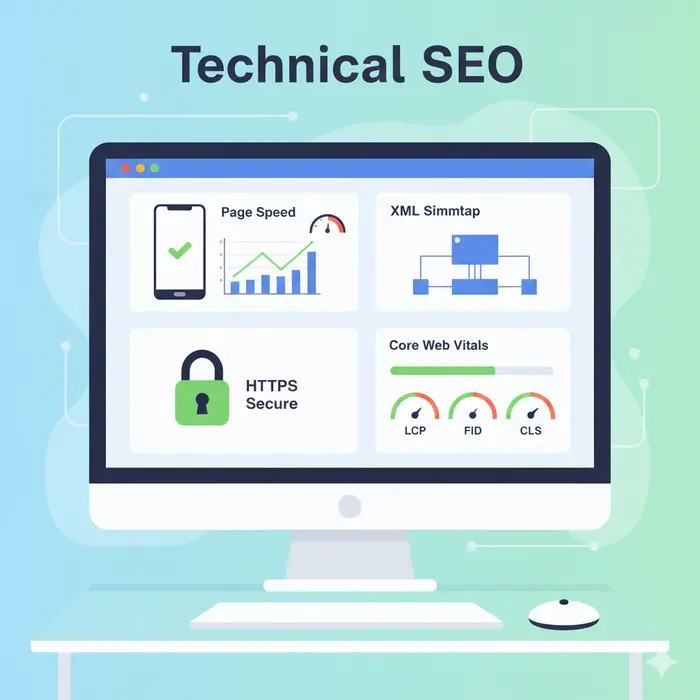
For anyone learning SEO Basics for Beginners, technical SEO ensures your website meets Google’s requirements for crawling, indexing, and ranking. Even the best content can underperform without proper technical SEO.
1. Mobile Optimization
- Ensure your website is fully responsive on all devices.
- Google uses mobile-first indexing, meaning mobile-friendly sites rank better.
- Test your website on multiple devices to fix layout issues.
2. Page Speed and Core Web Vitals
- Slow-loading websites hurt user experience and SEO.
- Optimize images, enable browser caching, and minimize scripts to improve speed.
- Core Web Vitals measure loading, interactivity, and visual stability.
3. Fixing Broken Links
- Broken links reduce user trust and SEO performance.
- Use tools like Google Search Console or Screaming Frog to find and fix errors.
- Redirect removed pages to relevant content.
4. Structured Data (Schema Markup)
- Add schema markup to help search engines understand your content.
- Rich snippets can improve CTR by showing ratings, FAQs, or event details in search results.
5. HTTPS and Website Security
- Secure your website with HTTPS.
- A secure website increases user trust and is a ranking factor for Google.
Practical Example:
If your blog is about SEO Basics for Beginners, make sure:
- Your site loads under 3 seconds.
- All images are optimized with descriptive alt text.
- Mobile view is clean and readable.
- Schema markup is used for FAQs and articles.
Common SEO Mistakes Beginners Make
When starting with SEO Basics for Beginners, it’s easy to make mistakes that hurt your rankings. Recognizing these mistakes early helps you avoid wasted effort and improves your website performance.
1. Keyword Stuffing
- Overusing keywords makes content unnatural and lowers readability.
- Focus on primary, secondary, and LSI keywords naturally throughout the content.
2. Duplicate Content
- Copying content from other websites or having multiple pages with the same text can harm SEO.
- Always create unique, original content relevant to your audience.
3. Ignoring Mobile Optimization
- Many beginners focus only on desktop view.
- Mobile-friendly sites rank better because of mobile-first indexing.
4. Neglecting Backlinks
- Backlinks are still crucial for authority.
- Avoid only creating content without building high-quality backlinks.
5. Poor Website Structure
- Confusing navigation and broken internal links reduce user experience.
- Maintain clear URL structures, proper headings, and internal linking.
6. Ignoring Analytics and Performance Tracking
- Not monitoring traffic, bounce rate, and rankings limits your understanding of SEO performance.
- Use tools like Google Analytics and Google Search Console to track progress.
Practical Tip:
If you are learning SEO Basics for Beginners, start by focusing on content quality, proper keyword placement, and website usability. Avoid shortcuts like black-hat SEO techniques or over-optimizing pages.
Tools to Make SEO Easier
For anyone learning SEO Basics for Beginners, using the right tools makes optimization faster, accurate, and effective. Tools help with keyword research, site analysis, content improvement, and performance tracking.
1. Google Search Console
- Monitors your website’s presence in Google search results.
- Identifies indexing issues, broken links, and keyword performance.
- Provides insights to improve your SEO strategy.
2. Google Analytics
- Tracks website traffic, user behavior, and conversions.
- Helps understand which pages perform well and which need improvement.
- Supports data-driven SEO decisions.
3. Keyword Research Tools
- Tools like Google Keyword Planner, Ahrefs, SEMrush, Ubersuggest help identify high-potential keywords.
- Analyze search volume, difficulty, and competition to choose the best keywords.
4. SEO Audit Tools
- Tools like Screaming Frog or Sitebulb check website health, broken links, and technical SEO issues.
- Help beginners find areas to improve on-page and technical SEO.
5. Content Optimization Tools
- Tools like SurferSEO or Frase assist in writing content that aligns with target keywords.
- Analyze top-ranking pages and suggest improvements.
Practical Tip:
If your blog teaches SEO Basics for Beginners, start by using Google Search Console and Google Analytics. Gradually add keyword research and SEO audit tools as you progress. Combining these tools ensures your content is optimized, trackable, and competitive.
Measuring SEO Success
Understanding SEO Basics for Beginners also means knowing how to measure results. Tracking SEO performance helps you see what works, what needs improvement, and how to grow your organic traffic.
1. Important SEO Metrics
- Organic Traffic: Number of visitors arriving from search engines.
- Keyword Rankings: Check how your targeted keywords rank over time.
- Click-Through Rate (CTR): Percentage of users clicking on your link in search results.
- Bounce Rate: Percentage of visitors leaving your site without interaction.
- Domain Authority (DA): Measures website authority and backlink strength.
2. Tracking Tools
- Google Analytics: Tracks traffic, user behavior, and conversions.
- Google Search Console: Monitors indexing, ranking, and site errors.
- Ahrefs / SEMrush: Provides detailed keyword performance and backlink analysis.
3. Adjusting Strategies Based on Data
- Identify pages with low traffic or high bounce rate and optimize content.
- Update old posts with fresh information and better keywords.
- Build backlinks for pages that are not ranking well.
Practical Tip:
If you follow SEO Basics for Beginners, regularly monitor these metrics to improve your content. Data-driven decisions help your website rank higher, attract relevant visitors, and achieve better engagement.
Future of SEO – Trends to Watch in 2026
As you learn SEO Basics for Beginners, staying updated with trends ensures your website stays competitive. Google and other search engines continuously update algorithms, making some strategies more important than before.
1. AI and SEO
- Artificial intelligence impacts search rankings by evaluating content quality, relevance, and user behavior.
- Tools like AI-driven content analyzers help optimize articles for better performance.
2. Voice Search Optimization
- Increasing use of voice assistants makes voice-friendly content essential.
- Focus on long-tail keywords and natural language queries.
- Answer specific questions clearly to rank in voice search results.
3. Video SEO
- Videos drive engagement and keep users on-site longer.
- Optimize video titles, descriptions, and tags with keywords.
- Use transcripts and captions for better indexing.
4. E-A-T (Expertise, Authoritativeness, Trustworthiness)
- Google evaluates content quality based on E-A-T.
- Include accurate information, cite sources, and show expertise in your niche.
- Build author profiles to enhance trustworthiness.
Practical Tip:
For SEO Basics for Beginners, start by creating high-quality, accurate content. Optimize for voice queries, include video where possible, and ensure your website demonstrates authority. Following these trends improves your chances of ranking higher and sustaining traffic growth.
FAQ‘s for SEO Basics for Beginners
What is SEO in simple words?
SEO, or Search Engine Optimization, is the process of improving your website so it ranks higher on search engines like Google. It helps attract organic traffic and reach the right audience.
How long does it take to see SEO results?
Results vary depending on competition, content quality, and website authority. Typically, beginners notice improvements within 3–6 months of consistent SEO efforts.
Can I do SEO myself or should I hire an expert?
You can start with SEO Basics for Beginners yourself using tools like Google Analytics, Search Console, and keyword research tools. Hiring an expert can speed up results, especially for competitive niches.
Are backlinks still important in 2025?
Yes, high-quality backlinks remain crucial for authority and ranking. Focus on relevant, trustworthy sites rather than quantity.
What is the difference between on-page and off-page SEO?
- On-Page SEO: Optimizations on your website like content, headings, meta tags, and internal links.
- Off-Page SEO: Actions outside your website like backlinks, social shares, and guest blogging.
How important is mobile optimization in 2026?
Extremely important. Google uses mobile-first indexing, meaning mobile-friendly websites rank higher in search results.
What are Core Web Vitals and why do they matter?
Core Web Vitals measure page speed, interactivity, and visual stability. Fast, smooth websites improve user experience and rankings.
How do I track my SEO progress?
Use Google Analytics for traffic and engagement insights, and Google Search Console for indexing, keyword performance, and site issues.
Can I rank for competitive keywords as a beginner?
Focus on long-tail keywords related to your niche. They have lower competition and higher chances of ranking for beginners.
How often should I update my SEO strategy?
Regularly, at least every 3–6 months, to adapt to algorithm updates, trends, and website performance data.
Conclusion – Start Your SEO Journey Today
Learning SEO Basics for Beginners gives you the tools to increase your website’s visibility and attract relevant visitors. Start by:
- Creating high-quality, original content with proper keyword placement.
- Optimizing your pages for on-page and technical SEO.
- Building high-quality backlinks and promoting your content.
- Tracking performance using Google Analytics and Search Console.
- Staying updated with trends like voice search, video SEO, and E-A-T.
By following these steps, you’ll build a website that ranks higher on Google, drives organic traffic, and grows your online presence effectively. Remember, SEO is a long-term strategy, and consistent effort delivers sustainable results.