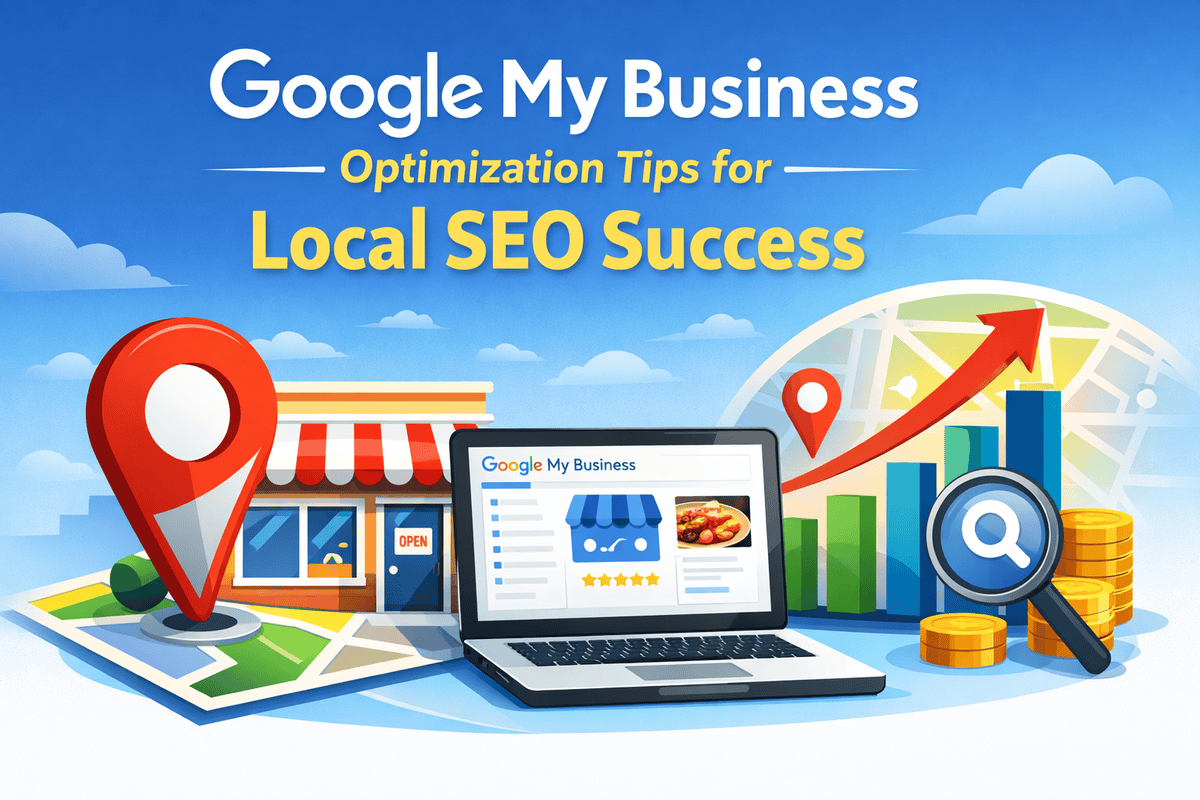
The quality of your Google My Business listing directly determines how your business will appear in local results. Optimizing it will ensure your business’s visibility to those looking for your products or services that you provide within your region.
Why is this important:
- 76% of those who look to find local businesses go through them in a single day.
- An optimized GMB listing can boost the quality of your Google Maps and local search rankings.
- It increases credibility and trust among potential customers.
The main advantages of optimizing your GMB listing:
- Enhance Local Visibility: Appear in local searches and Google Maps.
- Get More Customers to Join: Accurate info and positive reviews boost the traffic and converts.
- Highlight Business Strengths Highlight the best services, photos, products and promotions.
- Monitor Performance Utilize insights to monitor engagement and improve strategy.
Why Google My Business is Crucial for Local SEO
Google My Business is the base of local SEO. Optimizing it means that your business is prominently displayed when potential customers search locally for products or services.
How GMB Impacts Local Search Rankings:
- Local Pack Inclusion: Optimized listings appear in the Google Local Pack, the three most popular businesses that are displayed in the map results.
- Greater Map Visibility: Correct business information helps Google place your business more highly on Google Maps.
- Search Relevance: Google uses your details about your business keywords, categories, and categories to determine the relevance of your business’s information to user queries.
Benefits of a Fully Optimized GMB Listing:
- Better Online Visibility: Your company is listed in local searches as well as on Google Maps.
- Credibility and Trust Full listings, complete with reviews and images help build credibility.
- More Engagement: Customers can call or message, or even visit your website from within your page.
- Data-Driven Decisions GMB Insights display views, clicks, phone calls and direction requests.
Key Steps to Optimize Your Google My Business Listing
Optimizing your Google My Business listing ensures your business is visible, credible, and engaging for local customers. Follow these actionable steps to maximize your local SEO performance.
1. Claim and Verify Your Business
- Go to Google My Business and claim your listing.
- Complete the verification process via mail, phone, or email.
- Verification ensures Google trusts your business and allows full access to GMB features.
2. Complete Your Business Information Accurately (NAP)
- Ensure your Name, Address, and Phone (NAP) are consistent across all platforms.
- Add your business hours, website URL, and categories.
- Accurate info improves Google’s ability to display your business in relevant local searches.
3. Choose the Right Business Categories
- Select primary and secondary categories relevant to your services.
- Avoid unrelated categories; they reduce ranking accuracy.
- Categories help Google understand your business type and match local search queries.
4. Add High-Quality Photos and Videos
- Upload clear photos of your store, products, staff, and services.
- Include videos showcasing your business operations or customer testimonials.
- Listings with media get 42% more requests for directions and 35% more clicks to website.
5. Optimize Business Description with Keywords
- Write a concise description highlighting your services, unique selling points, and location.
- Naturally include primary and secondary keywords like Google My Business optimization, local SEO tips, online visibility for local business.
- Avoid keyword stuffing; focus on readability and value.
6. Maintain Accurate Attributes and Services
- Add specific attributes like “wheelchair accessible” or “offers delivery.”
- List all services or products to improve relevance for user searches.
- This helps Google match your business to specific customer needs.
How to improve Local SEO using Google My Business
Enhancing the performance of your GMB listing isn’t enough. You must be actively managing it to improve your local SEO performance and to attract more customers.
1. Add Products and Services
- List all the products and services that your business provides.
- Include clear descriptions, pricing and categories.
- This will help Google to match your listing to relevant local searches.
2. Post Regular Updates and Offers
- Updates about events, promotions or other services via your GMB profile.
- Regular posts boost engagement and show Google that your website is present.
- Use concise, practical language and use keywords naturally.
3. Encourage Customer Reviews
- Request clients who have been satisfied to post reviews on your GMB listing.
- Respond promptly to reviews to show commitment and establish trust.
- Reviews boost the quality of your local search rank and also increase credibility.
4. Respond to Messages and Questions
- Allow messaging on GMB and then respond quickly.
- Answer questions from customers professionally and clearly.
- Google prefers companies that actively engage with their users.
5. Monitor Insights for Performance
- Make use of GMB Insights to monitor searches views, calls and directions requests.
- Determine which posts or services generate the most interest.
- Make adjustments to your strategy based on real data to achieve the best results.
Google Maps Optimization for Local Business Visibility
Ranking on Google Maps is essential for local businesses. Optimizing your GMB listing for Maps ensures potential customers find you quickly and choose your business over competitors.
1. Ensure Accurate Location Information
- Use the correct business address and pin your location precisely on Google Maps.
- Consistent NAP (Name, Address, Phone) across all platforms is critical.
2. Optimize for Google Maps Search
- Include relevant keywords in your business title and description.
- Add categories and subcategories to define your business accurately.
- Upload high-quality photos and videos that showcase your services or products.
3. Collect and Manage Reviews
- Positive reviews improve Google Maps ranking and attract customers.
- Respond to all reviews professionally, including negative ones, to show engagement.
4. Use Google Maps Features
- Enable messaging and Q&A to interact with customers.
- Add posts, offers, and events to maintain active engagement.
- Share special offers or promotions with location-specific targeting.
5. Track Map Performance
- Use GMB Insights to monitor map views, direction requests, and user actions.
- Adjust your strategy based on which locations generate the most engagement.
Tracking and Measuring GMB Performance
Monitor the performance of your Google My Business performance is crucial for a successful local SEO. The data you collect helps you understand the behavior of your customers improve your listing and increase engagement.
1. Use GMB Insights
- Access GMB Insights for the metrics like views, search queries as well as clicks, calls and clicks.
- Analyze which search terms and keywords lead customers to your website.
- Insights provides actionable information to improve your local SEO strategy.
2. Track User Actions
- Monitor actions such as directions, website visits and calls.
- Find patterns in customer engagement and understand what is most effective.
- Modify your content, posts or services based on these actions.
3. Analyze Customer Interaction
- Check customer reviews as well as other messages to find the most frequent feedback.
- Respond quickly to keep trust and show a sense of engagement.
- Monitor review scores over time to measure satisfaction and credibility.
4. Benchmark Performance Against Competitors
- Check the visibility of your listing and reviews with other local businesses.
- Find gaps in your keywords, services or engagement to increase your position.
Common Google My Business Mistakes to Avoid
Avoiding errors in your Google My Business listing is critical for maintaining strong local SEO performance. Here are the most common mistakes and how to prevent them:
1. Incomplete Business Information
- Missing or inaccurate details reduce visibility in local searches.
- Always provide your complete NAP (Name, Address, Phone), business hours, website, and categories.
2. Ignoring Customer Reviews
- Not responding to reviews lowers trust and engagement.
- Encourage reviews and respond promptly, addressing both positive and negative feedback.
3. Inconsistent NAP Across Platforms
- Conflicting information on different sites confuses Google and customers.
- Ensure your NAP matches exactly across your website, directories, and social profiles.
4. Overlooking Photos and Videos
- Listings without visuals attract less engagement.
- Upload high-quality images and videos regularly to showcase your business.
5. Keyword Stuffing
- Overloading descriptions with keywords reduces readability and trust.
- Use keywords naturally in descriptions, services, and posts.
Advanced Strategies to master Local SEO using GMB
To increase the effectiveness of local SEO, you need to go above the basic optimization. Apply these strategies to increase the visibility and engagement.
1. Use the Q&A Section Effectively
- Add frequently asked questions, with easy answers.
- Respond to user-submitted questions promptly.
- This enhances the customer experience and also signalizes that they are active to Google.
2. Implement Posts and Offers Regularly
- Post updates or promotions via your GMB profile.
- Keep content brief and keyword-rich. It should also be useful.
- Regular postings increase engagement and local search results.
3. Optimize for Voice Search
- Include conversational keywords and any questions customers may ask verbally.
- Concentrate on phrases that are specific to the location, e.g., “best bakery near me in [City]”.
- Voice search optimization helps drive more hands-free and mobile searches.
4. Highlight Products and Services Strategically
- List of products and services with detailed descriptions as well as categories.
- Make use of videos or images to show off your offerings.
- Aids Google match your website’s content to relevant search terms and improves click-through rates.
5. Monitor Performance Continuously
- Monitor metrics such as searches’ visibility, clicks, phone calls and reviews.
- Modify content, posts, or even keywords based on data insights.
Conclusion & Action Plan
Optimizing your Google My Business listing is essential for local SEO success. By following the steps outlined, you ensure your business is visible, credible, and engaging to potential customers in your area.
Actionable Steps You Can Implement Today:
- Claim and verify your GMB listing.
- Complete all business information accurately (NAP, hours, categories).
- Add high-quality photos, videos, and detailed product/service listings.
- Encourage and respond to customer reviews regularly.
- Post updates, offers, and events to maintain active engagement.
- Monitor GMB Insights and adjust strategies based on performance data.
Implementing these strategies improves local search rankings, increases website traffic, and drives more customers to your business. Regular monitoring and updates keep your listing competitive, helping you stay ahead in local search results.
FAQs: Google My Business Optimization & Local SEO
What is Google My Business (GMB) and why is it important for local SEO?
Google My Business is a free tool that helps businesses manage their online presence across Google Search and Maps. Optimizing your GMB listing improves local search rankings, visibility, and customer engagement.
How do I claim and verify my Google My Business listing?
Sign in to Google My Business, search for your business, and select “Claim this business.” Verify via mail, phone, or email to unlock full features and ensure Google trusts your listing.
What information should I include in my GMB listing?
Provide accurate Name, Address, Phone (NAP), business hours, website, categories, description, services/products, photos, and videos. Accurate info improves local SEO and user trust.
How can I improve my GMB listing for Google Maps?
Pin your location accurately, use relevant categories, add photos and videos, collect reviews, and post updates regularly. This enhances visibility in Google Maps results.
How do customer reviews impact local SEO?
Positive reviews improve your business’s credibility and local ranking. Responding promptly to all reviews signals active engagement and builds trust with potential customers.
What are the common mistakes to avoid in GMB optimization?
Avoid incomplete business information, inconsistent NAP, ignoring reviews, missing photos/videos, and keyword stuffing. These reduce visibility and engagement.
How often should I update my GMB listing?
Update your listing regularly with new products, services, photos, and posts. Frequent updates signal to Google that your business is active and relevant.
Can GMB help with voice search optimization?
Yes. Use conversational and location-specific keywords, FAQs, and clear service descriptions. This increases chances of appearing in voice search results for local queries.
How do I track my GMB performance?
Use GMB Insights to monitor search queries, views, clicks, calls, and direction requests. Adjust your listing and posts based on these analytics to improve engagement.
What are the benefits of using photos and videos on my GMB listing?
Listings with media receive more clicks, calls, and direction requests. High-quality visuals showcase your business, products, and services, boosting user engagement.
How do I choose the right categories for my GMB listing?
Select primary and secondary categories that accurately describe your business. Avoid irrelevant categories to ensure Google matches your listing to the right local searches.
Can GMB optimization increase foot traffic and sales?
Yes. A fully optimized and active GMB listing improves local visibility, attracts more customers, and encourages calls, visits, or online inquiries, directly boosting sales.