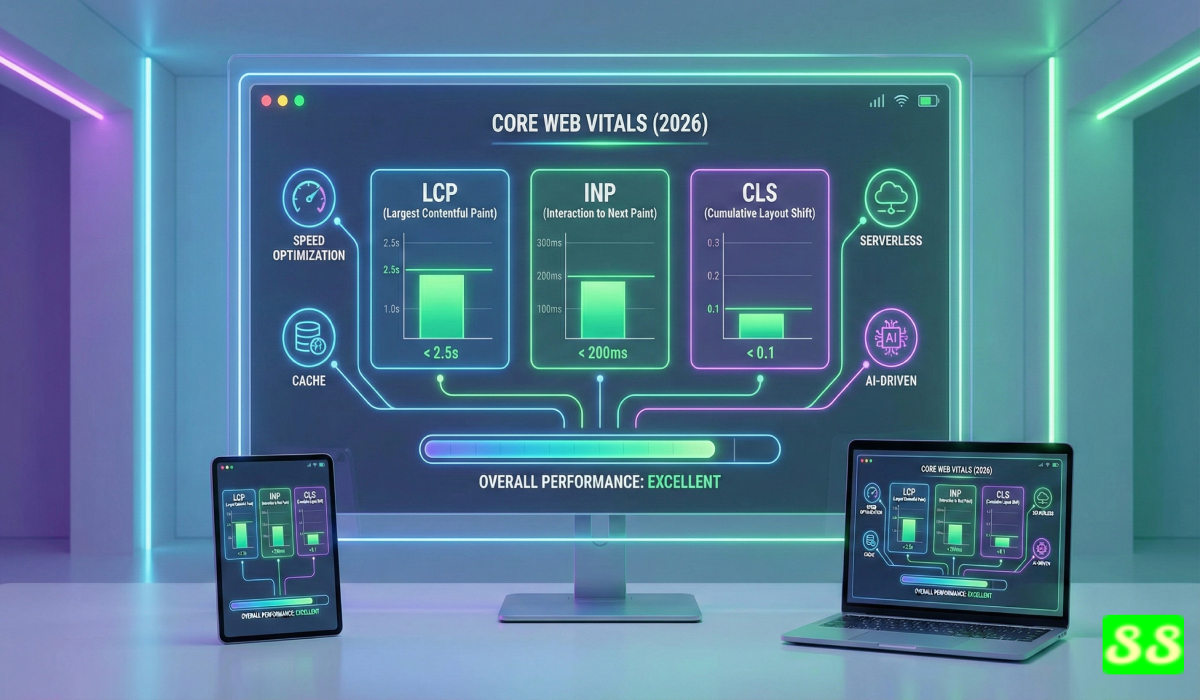
Introduction- Core Web Vitals Guide
Core Web Vitals Guide 2026 will help you understand how website performance and experience impact how your Google rankings. Search engines focus on actual user data. slow pages can deter visitors and decrease your exposure. Strong web vitals are the foundation of your website. Web Vitals increase engagement, decrease bounce rates and ensure long-term stable rankings.
You will learn the ways that LCP, INP, and CLS influence the user experience on your website. These indicators show how quickly your site is loading, the smooth the interactions feel and how steady your layout remains. Google examines these metrics across mobile devices, meaning that issues with performance can affect your entire website.
This guide will provide you with simple steps to improve your score. It offers practical steps to ensure speedier load times, more stable designs and quick interactions. Each recommendation adheres to the current Web.dev as well as Google Search Central standards. The aim is straightforward. Let us help you improve your site and gain trust from your users and achieve higher rankings on search results using accurate, quantifiable improvements in performance.
What Are Core Web Vitals? (Updated for 2026)
Core Web Vitals is a set of performance indicators which show how visitors interact with your website. They evaluate loading visually stable, visual stability, and the speed of interaction, from real-time user data from the Google Users Experience Report. Google makes use of these signals to assess the quality of user experience to determine search ranking. The most current Core Web Vitals include LCP, INP, and CLS. These metrics inform your technical decisions and assist to create faster, more solid pages that perform effectively with mobile devices. They also show how your website performs in real-world conditions, not just lab tests on their own.
The Evolution of Core Web Vitals
Core Web Vitals started in 2020 and included three metrics. Google has replaced FID by INP in 2024 to gauge the performance of all interactions. The guidelines were tightened in 2025 when mobile-first indexing was expanded. The year 2026 will be the one in which Google will continue to concentrate on actual user outcomes. This shift demonstrates the improvement in performance beyond simple loading times, to total quality of interaction. Every update strives to be in line with SEO with the real expectations of users.
Why Core Web Vitals Matter for SEO Rankings
Google utilizes Core Web Vitals as part of its page experience system. High scores increase user satisfaction as well as reduce bounce rate and improve the visibility of search results. Sites that are slow to load or with poor interactions lose users’ interest. Search engines view this as an indication of poor quality. Making improvements to LCP INP, LCP and CLS will help you to meet standard performance requirements and keep people engaged for longer. A higher level of engagement helps maintain rankings particularly for keywords that are competitive.
Core Web Vitals vs Traditional Speed Metrics (FCP, TTFB, Speed Index)
Traditional metrics are used to measure the technical events that cause load. FCP monitors the moment when the first element is displayed. TTFB measures the response time of the server. Speed Index measures visual progress. These numbers indicate how fast a website loads, but they don’t fully reflect the user experience. Core Web Vitals measure what users experience. LCP indicates when the primary content is visible. INP displays how fast the page reacts to events. CLS displays how steady the design is when it is loaded. These indicators provide a more clear picture of usability, and offer the user specific steps to enhance ranking signals and actual life performance.
Understanding the 3 New and Updated Core Web Vitals Metrics
Core Web Vitals concentrate on three indicators that impact how visitors experience your website. These metric measures show how fast the main content on your page appears and how fast your site responds to load, and how steady the layout remains during loading. Each metric utilizes field data, meaning that the actual users determine your score. The high-quality performances in LCP, INP, and CLS enhances usability and provides more visibility in search results.
Largest Contentful Paint (LCP) – Ideal < 2.5s
LCP determines the time it takes for the primary content to be displayed. This could be an image that is hero or a text block with a lot of space or a banner with a featured image. If the element loads quickly users are convinced that the page is in good shape. The optimal LCP score should be less than 2.5 seconds for the majority of visits. slow servers, large and heavy images, scripts that block rendering and poorly optimized CSS can increase LCP time. The reduction of the size of an asset by using modern image formats, and enhancing server performance are effective methods to decrease LCP.
Interaction with next Paint (INP) FID Ka Replacement
INP has replaced FID at the end of 2024. It determines how quickly the page reacts to user inputs. This includes taps, clicks and keyboard inputs. INP represents the longest time between interactions in an entire session. A high INP score indicates that your website responds quickly and is fluid. High INP scores result from lengthy JavaScript tasks as well as heavy frameworks and third-party scripts. The reduction of JS complexity and breaking down long tasks into smaller pieces increases responsiveness and makes your website meet the needs of its users.
Cumulative Layout Shift (CLS) – Ideal < 0.1
CLS evaluates how stable your layout is while loading. Unexpected changes can frustrate users, and may result in accidental clicks. A great CLS score is less than 0.1. Layout fluctuations occur when images load with no dimensions or ads push content or fonts are switched later. Fixing attributes for size as well as reserving space to dynamic elements and loading fonts with solid fallback options keeps your layout in place. This ensures that your site is consistent and improves performance for your website.
How Core Web Vitals Impact Your Rankings in 2026
Core Web Vitals affect the way search engines evaluate the experience of a page. Google utilizes real-time data from users collected from mobile devices to analyze the performance of your website in typical network circumstances. A high score increases engagement and indicates higher quality. Poor scores decrease engagement and turn off users. These outcomes affect how your pages appear across competitive queries. When you enhance LCP, INP, and CLS they allow users to access content faster, communicate without delay, and browse with no any layout movements. These actions help ensure stability in ranking performance.
Google Page Experience System
The system for page experience analyzes Core Web Vitals with mobile accessibility, safe browsing and HTTPS. These are the indicators that determine the way Google interprets satisfaction of users. Strong Core Web Vitals show that your website loads quickly is responsive, well-designed and is visually steady. This helps improve how your websites appear in results for search engines. Poor Core Web Vitals signal poor user experience, which decreases your page’s visibility over time. The system rewards websites which provide consistent performance to real-world users.
Mobile First Indexing and Core Web Vitals
Google makes use of mobile versions of websites for indexing and crawling. Core Web Vitals now align with mobile-friendly conditions. Large mobile images, and massive scripts can affect your score. Optimizing mobile performance will help to meet your expectations for ranking and provide a better user experience. Pages that function best on small screens and smaller networks will perform better when it comes to search results.
Impact on User Experience and Conversion Rate
Users abandon sites that are unstable or slow. This can increase bounce rates and decreases conversion possibilities. The robust Core Web Vitals keep users in the loop and help build trust. Smoother and faster loading help improve conversion rates for forms, checkouts and lead flow. Improved UX helps to facilitate a more thorough navigation, which increases the number of behavior signals that are tied to search visibility.
Effects on Crawl Budget and Core Updates
Slow pages consume crawl resources and reduce the frequency at which Google updates your website’s URLs. Massive assets and scripts that are heavy render slowly. If you improve performance crawlers are able to process pages quicker. This will help your site be indexes more frequently. Core updates also favor sites with solid performance indicators. Enhancing Web Vitals Core Web Vitals strengthens your site through algorithm changes and helps to ensure long-term stability of rankings.
How to Check Your Core Web Vitals Score
You need accurate data to improve performance. Core Web Vitals scores come from field data. These numbers demonstrate the way that real people interact with your site’s pages. Test your website using the right tools can help you identify issues with the speed of loading, responsiveness, as well as the stability of your layout. Each tool offers different insights. Together, they provide you with an entire picture on your overall performance in LCP, INP, and CLS.
Google Search Console (Core Web Vitals Report)
Search Console displays Core Web Vitals for your whole site. It organizes URLs according to the status. You can see the pages that pass, require improvement or fail. Reports are based on real-time information that comes from Chrome User Experience Report. This allows you to track the performance of your site over time. Correcting problems can improve your site on a large size.
PageSpeed Insights
PageSpeed Insights tests field and laboratory data. It displays your LCP INP, LCP, as well as CLS scores along with thorough analysis. It gives you clear suggestions to speed up loading times as well as more responsiveness and a stable layout behavior. Data from the lab helps you evaluate changes prior to their introduction to real-world users.
Lighthouse
Lighthouse offers an audit of performance using a lab within Chrome DevTools. It highlights potential issues, warnings, and code-level issues. You can see how scripts CSS and other layout functions impact Your Core Web Vitals. Lighthouse is extremely useful in the development process and also for testing new designs.
Chrome User Experience Report (CrUX)
CrUX offers data on performance in the field directly from real Chrome users. It reveals real-world conditions across networks and devices. These insights can help you understand the differences in performance between laboratory tests. The data from CrUX power PageSpeed Insights as well as Search Console which is the most reliable source to rank related parameters.
Web.dev Measure Tool
This Web.dev Measure tool offers a an in-depth analysis of accessibility, performance and best practices. It utilizes Lighthouse reports, but it presents the results with a clear score and direction. It allows you to track improvement and validates your actions with respect to the current standards.
Step-by-Step Guide to Improve LCP (Largest Contentful Paint)
The improvement of LCP can help your main website content load quickly. The objective is straightforward. Create the most significant element to appear in 2.5 seconds for the majority of users. Large images, slow servers and unoptimized CSS and rendering delays add LCP. These steps help you address the root cause and provide quicker loading across mobile devices.
Optimize Server Response Time (TTFB)
A slow TTFB can delay every aspect of the webpage. Fast servers deliver the first byte promptly.
Use these methods to speed up response time:
- Upgrade hosting to a speedier plan
- Make sure caching is enabled for dynamic pages.
- Utilize server-level caching such as Redis or an object cache
- Reduce the number of backend queries
- Respond to requests for compression using Brotli
Use CDN for Global Delivery
A CDN delivers content from a variety of areas near the users. This decreases latency and speeds your initial loading.
For better LCP:
- Serve scripts and images through the use of a CDN
- Allow edge caching
- Utilize HTTP/3 support when it is available.
- Reduce the load on servers that originate with cached assets
Lazy Load Images Properly
Lazy loading regulates the loading of images. It eases the tension for the primary thread while speeding up the display of images.
Apply lazy loading correctly:
- Lazy load all images below the fold
- Remove Hero’s image from the lazy load
- Utilize native loading attributes
- Maintain consistent placeholder sizes to prevent layout shifts
Preload Important Assets
Preloading allows the browser to download important files earlier. The hero picture, the core CSS and the most important Fonts.
Use these steps:
- Do not load the image of hero
- The main stylesheet is loaded before loading the other
- Primary fonts are loaded prior to loading.
- Make sure the preloaded assets are used immediately
Minimize Main Thread Work
The main thread’s heavy workload blocks rendering. An active main thread slows the biggest painting moment.
Improve responsiveness by:
- The division of long-term projects
- Eliminating any unneeded JavaScript
- The reduction in size of the script
- Reducing the need for layouts
Remove Render-Blocking JavaScript
Scripts added early stop your browser from rendering the content. Moving them around helps the main content to appear quicker.
Fix render blockage issues using:
- Utilizing defer to avoid non-essential scripts
- Logging scripts in the footer
- Removal of libraries that are no longer needed
- The loading of tracking scripts following interaction
Optimize Hero Image Delivery (AVIF/WebP)
The hero image is often part of the LCP element. Modern formats can reduce loading times.
Use these enhancements:
- Convert hero images into AVIF or WebP
- Convert images using efficient settings
- Provide mobile-friendly versions that are responsive for
- Send images via an image CDN
This workflow decreases LCP delays and increases the speed at which your content is made available to users on all devices.
Step-by-Step Guide to Improve INP (Interaction to Next Paint)
INP is a measure of how fast your website responds to user inputs such as taps, clicks and keyboard input. Low INP scores ensure that your site is speedy and responsive. High INP usually comes from high JavaScript and long processes in the primary thread and slow scripts from third-party developers. By optimizing these areas, it improves the user experience as well as improves search results.
Reduce JavaScript Execution Time
Long-running JavaScript interferes with page interactions. The reduction in script execution speed up the speed of response.
Methods to cut down time to execute:
- Eliminate any unneeded JavaScript
- Divide the script into multiple modules
- Uncritical scripts can be loaded after the primary content
- Make sure that the framework is used to include only those features that are necessary.
- Minimize and compress scripts
Minimize Long Tasks
Tasks that are longer than 50ms will stop the main thread and slow down interactions.
Make long tasks easier by:
- The breaking down of complicated functions into smaller parts
- Transferring heavy DOM updates to background scripts
- Beware of repeated layout calculations
Use Web Workers for Heavy JS
Web Workers run intense operations on their main thread. This ensures that the interface is active even when performing difficult tasks.
Use Web Workers for:
- Processing and parsing of data
- Complex calculations
- Large JSON handling
Optimize Third-Party Scripts
Third-party scripts can cause delays and may increase INP.
Optimize by:
- Eliminating tags from third-party websites that are not in use
- Loading scripts Asynchronously
- Utilizing server-side tracking in lieu of tracking on the client side
- Making use of lighter widgets and analytics
Use Browser Native Features Instead of JS
The native browser’s features can be much faster when compared to JavaScript equivalents.
Apply native features:
- Make use of HTML forms instead of JS custom validation
- Replace JS animations by CSS transformations or transitions
- Use native input types for forms for faster response
These steps will ensure that your website responds quickly to user actions, decreasing INP as well as improving the user experience as well as search performance.
Step-by-Step Guide for Enhancing the CLS (Cumulative Layout Shift)
CLS analyzes sudden layout shifts that occur when a page loads. A high CLS is a source of frustration for users and could lead to accidental clicks. A well-designed layout increases engagement, helps keep users on your website, and improves search engine ranking. Try to achieve an CLS score less than 0.1 for all pages.
Always set the image dimensions
Images with no width or height attributes can cause layout shifts. Browsers aren’t aware of the area to reserve, leading to the images moving as they are loaded.
Correct this by:
- By adding width and height attributes to any image
- Making use of responsive image sizes by using the srcset
- Ensure placeholder spaces are in line with the dimensions of the final image
Avoid dynamic content without space
The content that is displayed later in the future, such as banners pop-ups or notifications could push elements that are already in place lower.
Stop layout changes by:
- Reserve space for elements that are dynamic
- Utilizing fixed-height containers to make banners
- Beware of content that is placed over the visible area
Avoid Layout Jumps during Font Loading
Late font rendering may move text blocks and boost CLS.
Stabilize fonts by:
- By using the font-display feature using font-display: change fonts
- Preloading fonts that are key to the system
- Choosing fonts from the system to use for body text, when it is possible
Reserve Space for Ads and Embeds
Content embedded in ads and banners can load asynchronously, which can cause shifts.
Reduce shifts by:
- Fixing fixed containers for advertisements and embeds
- Utilizing placeholders to create dynamic content
- Aiming at the most common sizes for ads across breakpoints and devices
Make use of Transform instead of changing Layout Properties
Interactions and animations that alter layout properties such as size or width triggers reflows which can cause visual shifts.
Use transforms for:
- Scaling elements
- Translating the position
- Changed opacity
These measures ensure a consistent layout for the site improve the quality of your site, decrease CLS and enhance the user experience overall, which has a positive impact on Core Web Vitals scores and ranking in search results.
Advanced Web Performance Techniques (2026 Standards)
Modern websites require sophisticated strategies to provide quick reliable and stable experience. These strategies optimize the delivery of content and reduce processing time and enhance Core Web Vitals. By implementing them, users will experience speedier LCP as well as smoother INP and a lesser CLS and also better search performance.
HTTP/3 + QIC
HTTP/3 with QUIC cuts down on the time for setting up connections as well as improving the reliability of mobile networks. It accelerates delivery of assets and reduces perceived load times.
Benefits:
- Handshakes that are faster and more efficient. Connection setups that are quicker.
- Reduction in latency on networks that aren’t reliable
- Better performance for global users
Server-Side Re rendering (SSR) and static site Generation
SSR and SSG provide completely rendered HTML to browsers. This helps reduce rendering on the client side and enhances LCP.
Apply SSR/SSG if:
- Pages rely on dynamic information
- You require a faster, first-rate painting that is content
- Mobile users can access your site via slow network
Code Splitting & Tree Shaking
The large JavaScript bundles cause delays in interaction, and can be slow LCP or INP. Code splitting only loads the necessary scripts, whereas tree shaking removes any code that isn’t needed.
Optimize JS by:
- The splitting of scripts based on feature or page
- Removal of modules that are not in use
- Then load the scripts that are essential to your operation.
Preconnect, Prefetch and Preload Strategies
Resource tips allow browsers to make connections and download files earlier.
Utilize These strategies
- The preconnect is made with CDNs as well as API Endpoints
- Make sure to prefetch resources for pages that are coming up.
- Preload essential images as well as fonts and CSS
Reduce the complexity of CSS
Complex CSS can increase render time and delay painting of the main content.
Simplify CSS by:
- Remove selectors that aren’t used.
- Combining rules from different sources
- Utilizing lightweight frameworks
- Prioritizing critical CSS
Image CDN and Next-Gen Formats
Images can be a major factor in the weight of pages and LCP. Utilizing CDNs and other modern formats increases the speed of loading and stability.
Optimize images by:
- Utilizing WebP and AVIF formats
- Serving image sizes that are responsive for mobile devices
- Making use of image CDNs to reduce the size and speedier delivery
Utilizing these techniques will ensure that your website is compliant with the 2026 standards of performance, while also improving Core Web Vitals and the overall user experience.
The Best Tools to Monitor and Enhance Core Web Vitality
Monitoring and measuring Core Web Vitals is essential to ensure that the performance is continuously improved. These tools give insight on the actual user experience they highlight the issues, and recommend solutions. Utilizing the right tools can help keep your site running smoothly, secure websites and increase the performance of your SEO over time.
Cloudflare Web Analytics
Cloudflare Web Analytics tracks real user experience, without affecting site speed. It gives insight into the load of pages, LCP, and CLS across all devices.
Benefits:
- Tracking that is focused on privacy
- Real-time performance data
- Monitors global user experience
NitroPack
NitroPack improves the performance of websites automatically. It integrates caching images, code optimization, minification and preloading resources.
Use NitroPack to:
- Cut down on LCP or INP delays
- Convert and compress automatically images automatically.
- Control delivery and caching without any manual configuration
WebPageTest
WebPageTest provides a deep analysis of page load performance under various network conditions. It evaluates LCP, INP, CLS and many other crucial metrics.
The most important features are:
- Test at several locations
- Emulate desktop and mobile networks
- Make waterfall charts to aid in diagnosis
GTMetrix (Updated with new features)
GTMetrix gives a concise analysis of Core Web Vitals performance and the best methods. It integrates field and lab data to provide useful information.
Use GTMetrix for:
- Page speed reports that are detailed
- Monitoring performance from the past
- Identifying slow assets, and blocking render scripts
PerfMatters WordPress Plugin (For WordPress)
PerfMatters enhances WordPress performance by managing scripts, optimizing resources and making lazy loading possible.
Benefits of Core Web Vitals:
- Remove any plugins or scripts that are not in use.
- Control assets of third parties efficiently
- Optimize LCP and decrease INP delays
These tools provide an accurate and precise monitoring of your performance as well as targeted improvement, ensuring you keep good Core Web Vitals scores and improved performance in your search.
Common Mistakes That Lower The Score of the Core Web Vitals Score
Many websites struggle when it comes to Core Web Vitals due to typical technical problems. Recognizing and fixing these errors helps improve LCP INP, LCP as well as CLS while also improving the experience of users and SEO.
Insufficiency JS Framework Usage
The weight of JavaScript frameworks could slow down your website and also increase processing time. The large bundles can delay interactions and slow down rendering.
Correct this by:
- Use lightweight frameworks as often as possible.
- Frameworks loaded only when needed.
- Splitting code into smaller modules
Images Not Being Compressed
Images that are not compressed can increase load times and harm LCP. Large images can also cause layout shifts when dimensions aren’t defined.
Optimize images by:
- Compressing using WebP or AVIF
- Resizing for desktop and mobile devices
- Preloading hero images
Too Many scripts from third-party vendors
The use of excessive scripts from advertisements or analytics widgets increase INP and can block the main thread.
Reduce impact by:
- Removal of scripts that aren’t used
- Asynchronously loading non-critical scripts
- Picking alternatives that are light
Not using Caching correctly
Caching helps speed up repeat visits. Without caching, servers cannot process each request completely, thereby increasing the time to load and LCP.
Enhance caching using:
- Caching of web pages for static assets
- Server-level caching (Redis or object cache)
- CDN caching for global delivery
Overloaded Servers / Shared Servers
Servers that are slow or overloaded make TTFB more prone to slowing down the performance of all elements on the page. Sharing hosting can lead to unstable performance.
Make this fixable by:
- Moving to dedicated or VPS hosting
- Monitor server load frequently
- Utilizing CDNs to reduce the number of requests from the origin server. CDN to decrease the number of requests to servers from which they originate.
By avoiding these errors, you can ensure the consistency of Core Web Vitals scores, quicker pages, and a better user experience across all devices.
Checklist of Core Web Vitals 2026 (Actionable Summary)
A simple checklist can help you keep track of improvement and ensures solid Core Web Vitals scores. Use these steps to optimize LCP, INP, and CLS in a consistent manner across your website.
LCP Checklist
- Increase the server’s response time (TTFB under 200ms when possible)
- Serve images via CDN
- Convert images and compress them into WebP or AVIF
- Hero images preload Key CSS, key CSS, and fonts
- Reduce main threads and decrease the weight of JavaScript
- Remove render-blocking scripts
- Make sure you use responsive images on all devices.
INP Checklist
- Cut down JavaScript execution time
- Divide big scripts to smaller ones
- Reduce the duration of long tasks (>50ms)
- Transfer large computations to Web Workers
- Optimize scripts written by third-party developers (async/defer)
- Utilize browser-specific capabilities instead JS whenever possible.
- Interactivity testing on mobile devices
CLS Checklist
- Set the width and height of each video or image element.
- Create space to host dynamic advertisements, content, or embeds
- Prevent layout shifts during font loading (font-display: swap)
- Use fixed containers to display popups and banners.
- Replace animations that change layout by using transforms (translate scale, opacity)
- Test stability of layouts across different screens and devices
By following this checklist, you can ensure your websites provide fast reliable, stable and responsive experience, increasing the user experience and performance in 2026.
The Future of Core Web Vitals: What to Expect After 2026?
Core Web Vitals will continue changing as Google improves the way it evaluates user experience. Future updates will likely be focused on a more precise user experience metrics, as well as more advanced evaluation methods. Being informed will help you maintain your SEO performance and benefits as standards evolve.
The New Metrics Google May Add
Google could include additional metrics in order to understand more intricate aspects of user experience. Potential additions include:
- Consistency of interaction across sessions
- Perceived loading speed is higher than LCP
- Metrics to measure content visibility and engagement
These improvements will allow for greater understanding of the level of satisfaction among users and the quality of performance.
AI-Based Page Evaluation of Experience
AI could play a bigger part in evaluating user experience. Machine learning can anticipate performance issues, identify bottlenecks, and suggest solutions in real-time. This method can help prioritize enhancements based on the real-time user feedback instead of relying on technical metrics.
Personalized Speed Scoring Trends
Speed scoring could be adapted according to the context of the user. Things like the type of device as well as network speed and the location of the user could affect the score of a page’s experience. Websites that are optimized to specific user profiles might have better engagement and rank results. The ability to adapt to this change will ensure that websites are always responsive and fast to the diverse needs of users.
Conclusion: Why Core Web Vitals Should Be Your Top SEO Priority in 2026
Core Web Vitals measure what users actually experience on your site. Fast loading (LCP), smooth interactions (INP), and stable layouts (CLS) directly affect engagement, conversion, and search visibility. Pages that meet these standards perform better in mobile-first indexing and provide a consistent user experience.
Focusing on Core Web Vitals also reduces bounce rate, improves session duration, and supports long-term ranking stability. Optimizing your site with the techniques outlined—image optimization, server improvements, script management, and layout stability—ensures measurable performance gains.
In 2026, Core Web Vitals are no longer optional. They are essential for SEO, user trust, and competitive advantage. Prioritizing them lets you deliver faster, more responsive pages that satisfy both users and search engines.
FAQ’s for Core web Vitals
1. What are the Core Web Vitals in 2026?
The Core web Vitals comprise Google’s measures used to provide a measure of user experience, which includes load speed (LCP) and interactivity (INP) and stability of layout (CLS) on actual devices.
2. What is the reason why Core Web Vitals important for SEO?
Google makes use of Core Web Vitals as ranking signals. Pages with higher LCP INP as well as CLS scores have higher rankings and offer a more enjoyable user experience.
3. What can I do to check what are my Core Web Vitals scores?
You can test your scores with Google Search Console, PageSpeed Insights, Lighthouse, Web.dev Measure Tool and Chrome User Experience Report. Chrome User Experience report.
4. What is a great LCP rating for 2026?
A good LCP (Largest Contentful Paint) score is below 2.5 seconds. A faster loading speed improves user experience and also improves search results.
5. How can I lessen INP problems?
Reduce INP by reducing JavaScript execution times, dividing lengthy tasks, utilizing Web Workers for heavy JS and optimizing third-party scripts.
6. How can you improve CLS on my site?
Set the width and height of images, and reserve space for advertisements and dynamic content, avoid shifts in layout of fonts and make use of transforms instead animators that change layout.
7. Does Core Web Vitals influence mobile SEO?
Indeed, Core Web Vitals are essential to indexing mobile-first. Optimizing LCP INP, CLS and CLS will ensure better performance on mobile networks.
8. What tools are available to help enhance Core Web Vitals?
The top tools are Cloudflare Web Analytics, NitroPack, WebPageTest, GTMetrix, and the PerfMatters WordPress plugin for performance optimization.
9. Are third-party scripts a threat to the integrity of my Core Web Vitals?
Yes that too many scripts from analytics, ads, or widgets could cause an increase in LCP or INP. Reload scripts asynchronously, and then remove unneeded scripts to minimize the time it takes to load.
10. What are some common Core Web Vitals mistakes?
Common errors are excessive JS frameworks, images that are not compressed as well as excessive third-party scripts inadequate caching, and the inability to handle overloaded or slow hosting.